
Live Show Playback
Create setlists for macOS & Windows where each song can include one visual media file, image or video, and up to 8 stereo audio tracks. Trigger the show from MIDI software or hardware, control it from any OSC-capable app or device, or run it manually with the standalone interface.


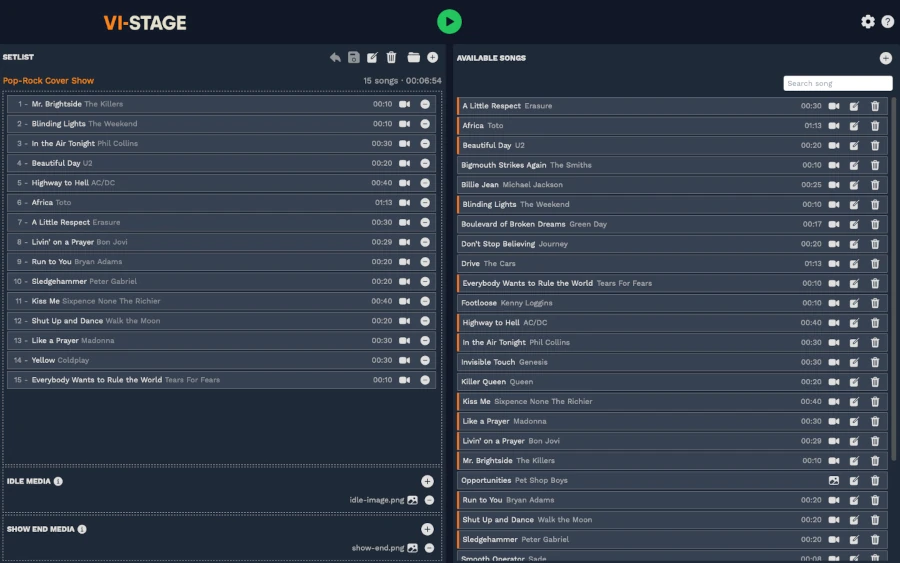
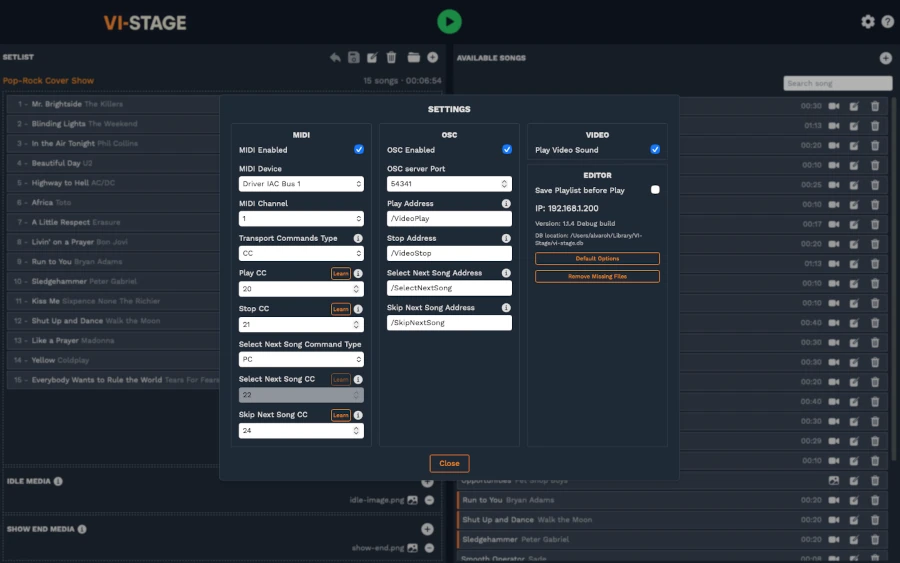
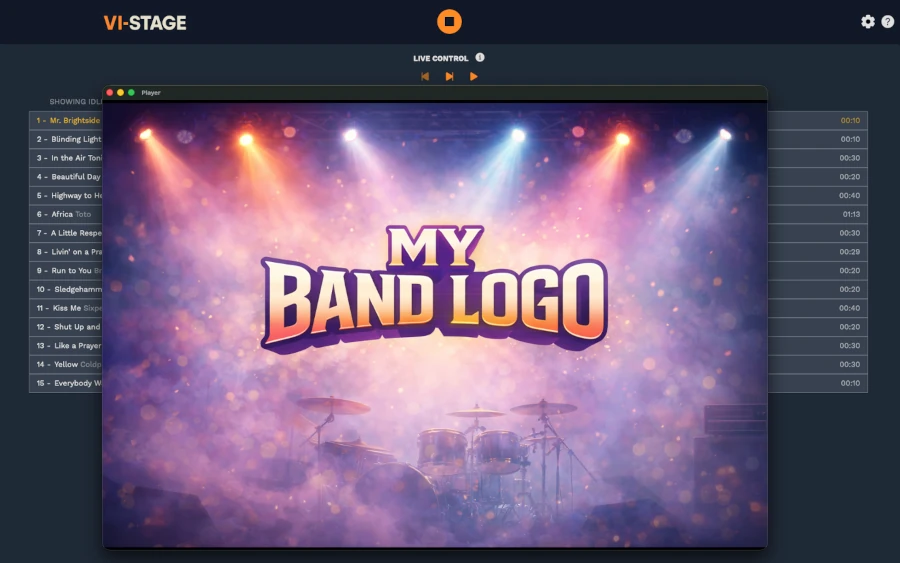
Features
- ✓ Trigger the show from MIDI software or hardware, OSC, or the standalone interface
- ✓ Trigger videos, images, and backing tracks in real time
- ✓ Play up to 8 stereo backing tracks for live concerts and performances
- ✓ Full MIDI integration with controllers, keyboards, and performance rigs
- ✓ OSC support. Control VI-Stage from any OSC-capable software or hardware
- ✓ Syncs with Ableton Live, Gig Performer, or MainStage
- ✓ Optimized for maximum stability and performance
- ✓ Display logos or info between songs to engage the audience
- ✓ Configure media to play automatically when the show ends
- ✓ Simple and intuitive. Easy to use for everyone, no technical background required
FAQ
What is VI-Stage used for? ⌄
VI-Stage is a live show playback solution for bands and performers. You can use it to manage a setlist of videos, images, or backing tracks and trigger each item manually, through MIDI, or via OSC.
How many backing tracks can VI-Stage play? ⌄
VI-Stage can play up to 8 stereo backing tracks, making it suitable for stems, clicks, cues, extra instruments, and other live performance audio needs.
Can I use VI-Stage only for audio, without videos? ⌄
Yes. You can use VI-Stage as a backing track player even if your show does not use visuals.
Can I use VI-Stage only for videos, without audio? ⌄
Yes. You can use VI-Stage as a video and image player for live visuals even if your show does not use backing tracks.
Can I combine videos and backing tracks in the same setlist? ⌄
Yes. VI-Stage is designed to manage live show playlists that can include videos, images, and backing tracks.
Can I send different tracks to different audio outputs? ⌄
Yes. VI-Stage supports audio routing, so you can send tracks such as click, cues, stems, or backing tracks to the outputs your live setup needs.
Can I trigger backing tracks with MIDI or OSC? ⌄
Yes. Backing tracks and playback actions can be triggered from MIDI or OSC, making VI-Stage suitable for automated live rigs.
How can I control VI-Stage during a live show? ⌄
VI-Stage is flexible enough for different live setups. You can control playback directly in the app, map MIDI messages from controllers or performance software, or use OSC from another computer, tablet, or show-control system.
Why choose VI-Stage over traditional VJ or audio playback software? ⌄
VI-Stage is designed specifically for live bands and stage performances. It combines visual playback, backing tracks, setlist management, and dedicated MIDI/OSC show control in one focused app.
What software can control VI-Stage? ⌄
Any software capable of sending MIDI or OSC messages can control VI-Stage. Popular options include MainStage, Gig Performer, and Ableton Live.
Can I control VI-Stage from a keyboard, guitar multi-effects unit, or modeler pedal? ⌄
Yes. As long as the device is able to send MIDI messages, it can control VI-Stage.
What is the supported video resolution? ⌄
VI-Stage can play videos at any resolution your computer is capable of handling smoothly.
Can I use VI-Stage as a standalone app without a controller? ⌄
Yes. VI-Stage can be used without any external controller. When the app is in Live Mode, a dedicated performance interface lets you control playback directly from the app.
Which is better, OSC or MIDI? ⌄
MIDI is extremely reliable and has been used for decades in live environments. OSC is also reliable if the network connection is stable. If you use OSC, a wired connection is recommended to avoid potential message loss over wireless networks.
Is VI-Stage reliable for live performances? ⌄
Yes. VI-Stage was built with reliability and performance as core principles. Touring bands and tribute acts are already using it live without issues.
Why can’t some video formats be played on Windows? ⌄
The Windows version uses legacy APIs that support only certain video formats. To play popular formats such as MP4 or AVI, you may need to install a codec pack like this one. This limitation applies only to Windows. The macOS version does not require additional codecs.
I am not familiar with MIDI or OSC. How can I get help? ⌄
More documentation and video tutorials will be available soon. In the meantime, feel free to contact me on LinkedIn and I will be happy to help.